How to Design a Simple SOME/IP Service Discovery Demo


Gengini Engineering Team

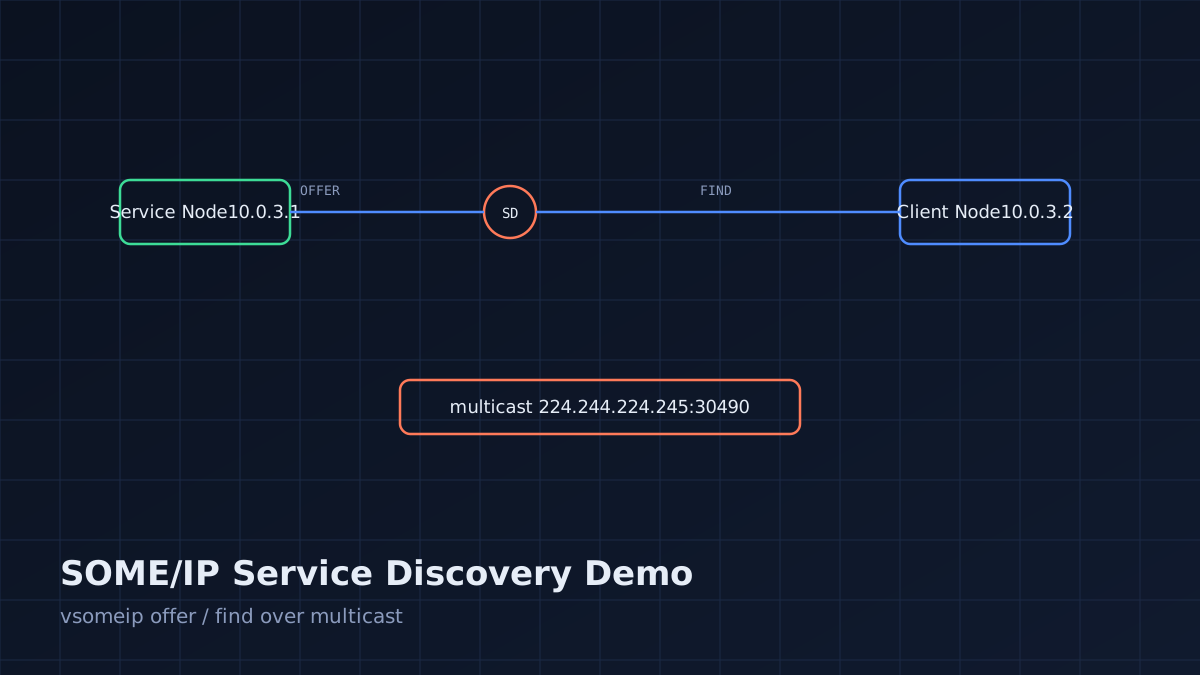
If you're evaluating SOME/IP for a new project, the fastest way to build intuition is to run a minimal service discovery demo before touching AUTOSAR tooling. This guide walks through building a two-node SOME/IP setup — one offering a service, one finding and calling it — using the open-source vsomeip stack on Linux, with an optional QEMU step to simulate two separate ECUs.
Why Build This First
Service discovery (SOME/IP-SD) is the part of the stack most engineers get wrong first: multicast configuration, offer/find timers, and TTL handling behave differently than a REST API or a simple UDP broadcast. Building a minimal demo surfaces these issues in an environment you control, before you're debugging them on real vehicle network hardware.
Prerequisites
- Linux host (Ubuntu 22.04 or later recommended)
vsomeipand its dependencyboostinstalled- Basic familiarity with C++ and JSON configuration files
- Optional: QEMU with two Linux VMs bridged on a virtual network, to simulate two ECUs
Install vsomeip from source:
git clone https://github.com/COVESA/vsomeip.git
cd vsomeip
mkdir build && cd build
cmake ..
make -j$(nproc)
sudo make install
sudo ldconfig
Step 1: Define the Service Interface
SOME/IP identifies services by a service ID, instance ID, and method/event IDs — there's no interface description language required for a minimal demo, just consistent IDs on both sides.
// service_ids.hpp
#define SAMPLE_SERVICE_ID   0x1234
#define SAMPLE_INSTANCE_ID  0x5678
#define SAMPLE_METHOD_ID    0x0421
Step 2: Configure the Service (Offering Node)
vsomeip is configured via JSON. This defines a service that offers itself on the network and responds to a method call:
{
    "unicast": "10.0.3.1",
    "logging": { "level": "info", "console": "true" },
    "applications": [
        { "name": "service-sample", "id": "0x1111" }
    ],
    "services": [
        {
            "service": "0x1234",
            "instance": "0x5678",
            "unreliable": "30509"
        }
    ],
    "service-discovery": {
        "enable": "true",
        "multicast": "224.244.224.245",
        "port": "30490",
        "protocol": "udp"
    }
}
The service application code registers a message handler and calls offer_service():
app_->offer_service(SAMPLE_SERVICE_ID, SAMPLE_INSTANCE_ID);
app_->register_message_handler(
    SAMPLE_SERVICE_ID, SAMPLE_INSTANCE_ID, SAMPLE_METHOD_ID,
    [this](const std::shared_ptr<vsomeip::message> &request) {
        auto response = vsomeip::runtime::get()->create_response(request);
        app_->send(response);
    });
Step 3: Configure the Client (Finding Node)
The client's configuration mirrors the service side but with its own unicast address and no services block — it relies on discovery to find the offering node:
{
    "unicast": "10.0.3.2",
    "applications": [
        { "name": "client-sample", "id": "0x2222" }
    ],
    "service-discovery": {
        "enable": "true",
        "multicast": "224.244.224.245",
        "port": "30490",
        "protocol": "udp"
    }
}
The client requests the service and registers an availability handler:
app_->request_service(SAMPLE_SERVICE_ID, SAMPLE_INSTANCE_ID);
app_->register_availability_handler(
    SAMPLE_SERVICE_ID, SAMPLE_INSTANCE_ID,
    [this](vsomeip::service_t, vsomeip::instance_t, bool is_available) {
        if (is_available) {
            auto request = vsomeip::runtime::get()->create_request();
            request->set_service(SAMPLE_SERVICE_ID);
            request->set_instance(SAMPLE_INSTANCE_ID);
            request->set_method(SAMPLE_METHOD_ID);
            app_->send(request);
        }
    });
Step 4: Run It
Set the VSOMEIP_CONFIGURATION environment variable per process and start the service before the client:
VSOMEIP_CONFIGURATION=service.json ./service_sample &
sleep 1
VSOMEIP_CONFIGURATION=client.json ./client_sample
You should see the client log a discovery event followed by a successful method response. If nothing happens within a few seconds, jump to the troubleshooting checklist below.
Step 5 (Optional): Split Across Two QEMU VMs
To simulate two separate ECUs instead of two processes on one host:
- Create a bridged network (
br0) on the host connecting two QEMU guest NICs. - Assign
10.0.3.1to VM A (service) and10.0.3.2to VM B (client). - Confirm multicast forwarding is enabled on the bridge — this is the step people skip, and it's the one that breaks discovery.
sudo brctl addbr br0
sudo brctl stp br0 off
sudo ip link set br0 up
Troubleshooting Checklist
- Can both hosts ping each other on the configured unicast addresses?
- Is multicast traffic actually reaching both hosts? Verify with
tcpdump -i <iface> udp port 30490. - Do both configs use the exact same multicast address and SD port?
- Are the service ID, instance ID, and method ID identical (including base) on both sides?
- Is a firewall (ufw, iptables) blocking UDP 30490 or the ephemeral port range?
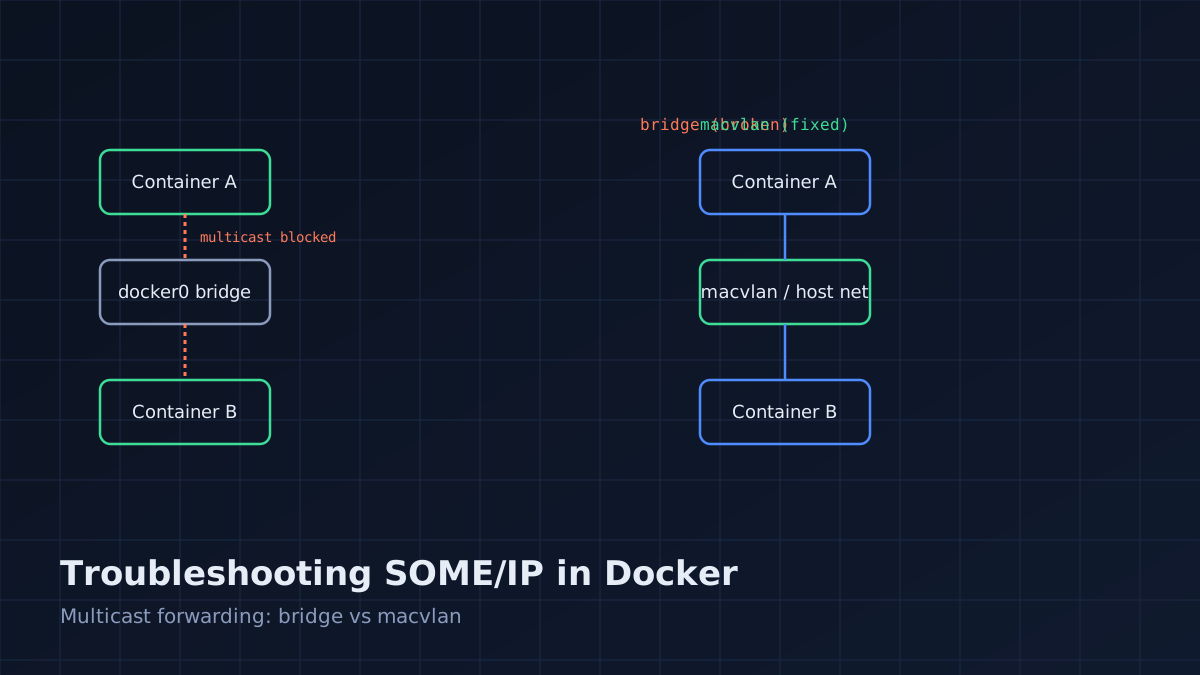
- If running in Docker, is the container network mode
hostor does it have multicast routing configured? (Bridge networking drops multicast by default.)
What to Build Next
Once this baseline works, extend it incrementally:
- Add an event/notification (pub/sub) alongside the request/response method
- Add a second instance of the same service ID to test instance-level discovery filtering
- Introduce artificial network partition (drop the multicast interface briefly) to observe SD's re-offer/re-find behavior and TTL expiry
This minimal setup is the fastest path to real intuition about SOME/IP's discovery mechanics — far faster than starting with a full AUTOSAR ARXML-driven toolchain.


Gengini Engineering Team
The Gengini Engineering Team writes practical guides on AI automation, automotive middleware, embedded firmware, cloud software, and industrial IoT systems.