Troubleshooting SOME/IP Service Discovery in Linux and Docker


Gengini Engineering Team

SOME/IP service discovery failures almost never come from the SOME/IP stack itself — they come from the network underneath it not delivering multicast the way SD expects. This is especially true in Docker, where the default bridge network silently breaks multicast forwarding. This is a diagnostic playbook for the failure modes we see most often when SOME/IP-SD doesn't work in Linux and containerized environments.
The Core Problem: Multicast Is Not Reliable by Default
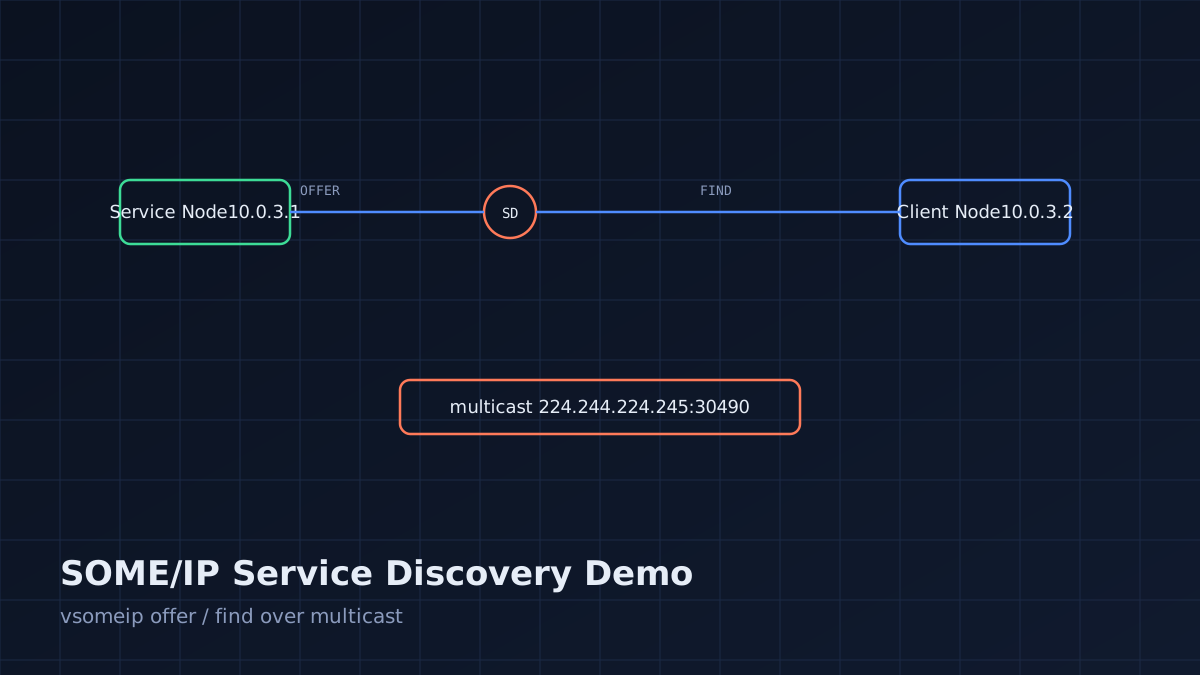
SOME/IP-SD (Service Discovery) uses UDP multicast (commonly 224.244.224.245:30490) to announce OFFER and FIND messages. Multicast delivery depends on:
- IGMP (Internet Group Management Protocol) being correctly handled by switches/bridges
- The kernel's multicast routing table
- The network namespace having a route to the multicast group
Any one of these being misconfigured produces the same symptom: the client never sees the service, with no error message anywhere.
Step 1: Confirm the Symptom
Before troubleking configuration, verify what's actually happening on the wire.
sudo tcpdump -i <interface> -n udp port 30490 -vv
Three possible outcomes:
- No packets at all → the offering application isn't sending, or isn't bound to the right interface.
- OFFER packets visible on the sender's interface but not the receiver's → multicast is not being forwarded between the two hosts/containers.
- Packets visible on both sides but the client still doesn't detect the service → the issue is in the vsomeip/library configuration (service ID mismatch, wrong
unicastaddress), not the network.
Use this to route your troubleshooting into the right branch immediately instead of guessing.
Step 2: Docker-Specific Fixes
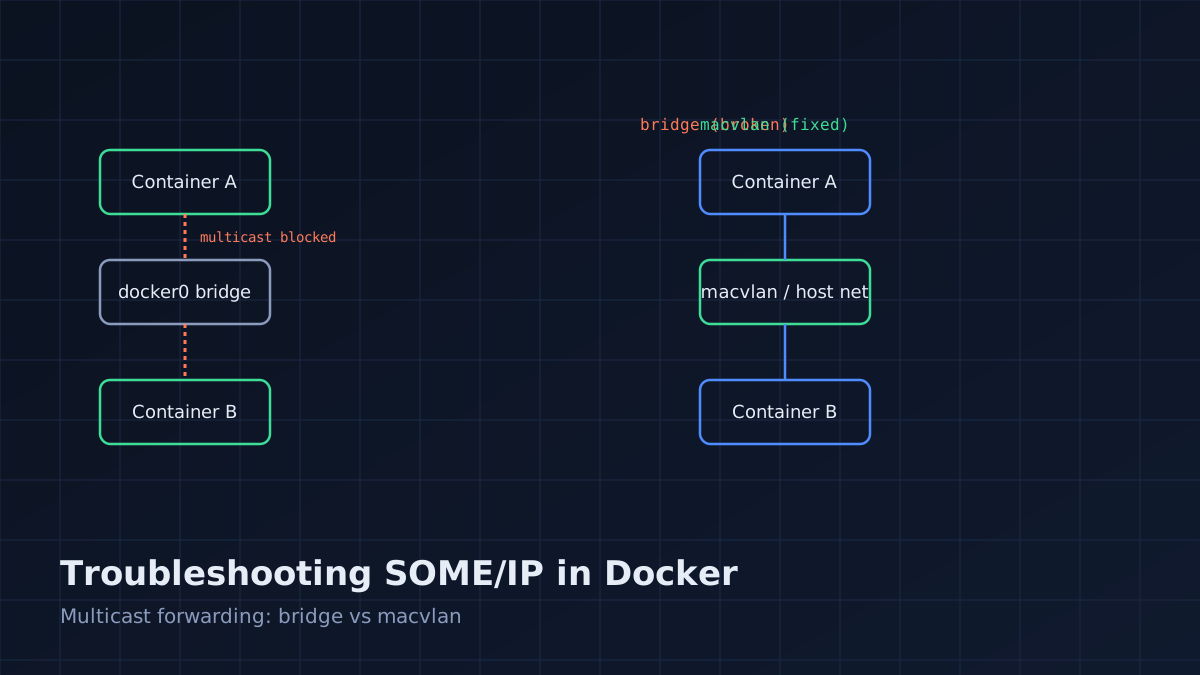
The default Docker bridge network (docker0) does not forward multicast between containers or to the host by design. This is the single most common cause of "SOME/IP works on bare metal but not in Docker."
Fix option A — host networking (simplest for local dev):
docker run --network host my-someip-service
This removes network isolation entirely, so SD's multicast traffic behaves exactly as it would on bare metal. Not appropriate for production multi-tenant hosts, but ideal for development and CI.
Fix option B — macvlan network (production-appropriate):
docker network create -d macvlan \
  --subnet=10.0.3.0/24 \
  --gateway=10.0.3.1 \
  -o parent=eth0 someip-macvlan

docker run --network someip-macvlan --ip=10.0.3.10 my-someip-service
Macvlan gives each container its own MAC/IP on the physical network, so multicast forwarding behaves like separate physical hosts. This is the right choice when you need container isolation and working multicast.
What doesn't work: the default bridge network with manually punched-through ports. Port forwarding is a unicast concept; it does not help multicast discovery traffic.
Step 3: Kernel and Interface-Level Checks
Even outside Docker, multicast can be silently dropped:
# Confirm the interface is multicast-capable
ip link show <interface> | grep MULTICAST

# Confirm the multicast route exists
ip route show table local | grep 224.0.0.0/4

# Check IGMP group membership
ip maddr show <interface>
If the interface doesn't show MULTICAST in its flags, check whether it's a virtual/tap interface created without multicast support (some minimal container network drivers do this).
Step 4: Switch and Bridge-Level Checks (Multi-Host)
If you're running two physical hosts, or two VMs on a virtual bridge, the switch/bridge itself can drop multicast via IGMP snooping. IGMP snooping optimizes multicast delivery by only forwarding to ports that have sent an IGMP join — but if your SOME/IP client never sends a proper IGMP join (or the snooping implementation is buggy), packets get dropped instead of flooded.
# On a Linux bridge, disable snooping to test (diagnostic only, not for production)
echo 0 > /sys/class/net/br0/bridge/multicast_snooping
If disabling snooping fixes discovery, your join messages aren't reaching the bridge correctly — check that IP_ADD_MEMBERSHIP is actually being called by the SOME/IP stack for the configured multicast address, and confirm with ip maddr show.
Step 5: Firewall Rules
# ufw
sudo ufw allow 30490/udp

# iptables — allow multicast destination
sudo iptables -A INPUT -d 224.244.224.245 -p udp --dport 30490 -j ACCEPT
Don't forget the ephemeral UDP port range used for the actual service traffic once discovered — the SD port alone isn't sufficient if payload traffic is on a separate unreliable/reliable port that's also firewalled.
Diagnostic Decision Table
Symptom Likely Cause Fix No OFFER packets seen at all Service app not starting SD, or bound to wrong interface Checkunicast config value matches actual interface IP
OFFER seen on sender only
Multicast not forwarded (Docker bridge, IGMP snooping)
Switch to macvlan/host networking, or disable snooping
OFFER seen on both, no FIND
Client SD not enabled or wrong multicast group
Verify service-discovery.multicast matches on both configs
FIND/OFFER exchanged, method call fails
Service/instance/method ID mismatch
Diff both JSON configs and code constants byte-for-byte
Works on LAN, fails over VPN
VPN doesn't forward multicast
Use SD unicast mode (vsomeip supports SD via unicast for exactly this case)
Preventing Regressions
- Add a CI smoke test that boots both nodes in containers on a macvlan (or host) network and asserts service availability within a timeout.
- Log every SD state transition (OFFER sent, FIND received, service available) at
infolevel in non-production builds — silent failures are the expensive kind. - Document the exact network mode requirement (macvlan/host) in your deployment README; this is the fix people rediscover from scratch every time a new engineer containerizes the service.


Gengini Engineering Team
The Gengini Engineering Team writes practical guides on AI automation, automotive middleware, embedded firmware, cloud software, and industrial IoT systems.